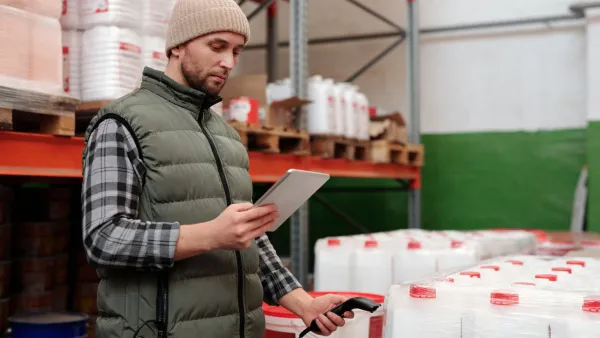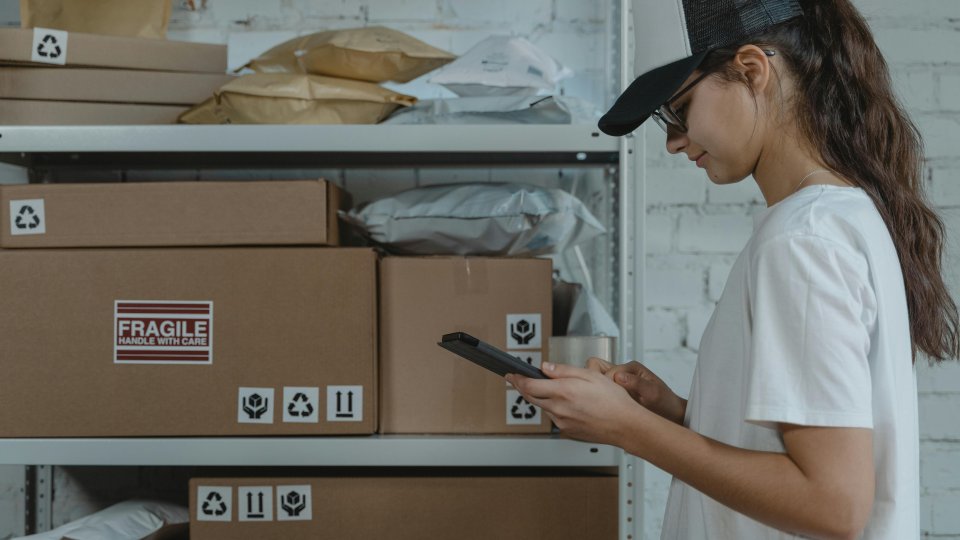
In B2B environments, ordering rarely happens behind a desk. It happens on the shop floor, in the warehouse, at a customer site, or on the road between meetings. Yet many B2B ordering portals are still designed primarily for desktop use. When mobile accessibility is weak, buyers delay orders, switch to email or phone, or make mistakes that create extra work for everyone.

**Mobile accessibility in B2B ordering is no longer optional.** It directly affects speed, accuracy, and user adoption. In this article, we explain why mobile ordering often breaks in industrial settings, what true mobile accessibility means in practice, and how a B2B portal can remove friction while keeping control over pricing, stock, and approvals.

---

## Mobile ordering fails when work happens off-desk

In manufacturing, distribution, and wholesale, ordering rarely happens at a desk. It happens during a site visit, while picking in the warehouse, at the loading bay, or when a manager needs to approve an order on the road. That is where **mobile b2b ordering** often breaks. If your ordering flow only works well on a laptop, people fall back to calls, emails, or *"I will do it later"*. You can see these moments across many industries and branches.

### Field and warehouse moments where ordering breaks

A desktop-first portal on a phone is slow and frustrating: menus are hard to tap, screens need endless zooming, product info is hidden, and login takes too long. Email or PDF orders are not better. A buyer cannot quickly check stock, prices, or alternatives, and there is no saved basket to continue later. This is exactly why b2b ordering mobile accessibility is not a *"nice-to-have"*, but an operational requirement.

### The hidden costs: delays, errors, and support tickets

Map one simple journey: a picker scans what is missing, then tries to reorder. On mobile, they get stuck searching the right SKU, choose the wrong pack size, or cannot find delivery options. The order is delayed, the customer gets partial shipment, and your team spends time fixing it. A Vendordesk B2B portal supports b2b mobile ordering so the order can be placed or approved in the moment, with less rework and fewer tickets.

---

## What mobile accessibility means in B2B ordering

In B2B, "accessibility" is not just about rules. In plain terms, **b2b ordering mobile accessibility** means: your customer can place an order on any device, with the same speed and clarity. That is what good mobile b2b ordering looks like in real life: fewer mistakes, less back-and-forth, and faster repeat orders.

### Usability basics that matter on phones and tablets

Mobile screens are smaller, and buyers are often on the move. So the basics must be right:

- a **responsive layout** that fits every screen
- **large tap areas** and clear navigation that gets users to the right product group fast
- product tables that stay readable, with key fields (price, stock, pack size) visible without endless zooming
- **quick search**, including barcode or SKU search for warehouse use
- **saved lists** for repeat buying
- clear error messages that explain what to fix
- a **simple checkout** that does not force long forms

In a portal like Vendordesk solutions, these features come together in one ordering flow designed for mobile use.

### Accessibility also means inclusive ordering for every role

Inclusive design helps every role: a buyer in the office, a foreman on site, or a warehouse picker. Think gloves, one-hand use, low light, older staff, or even a temporary injury. When ordering stays easy in these situations, adoption goes up. That is also how we approach device-friendly ordering at Vendordesk.

---

## Why mobile-first self-service is now buyer standard

### Buyer behaviour: fast reorders and quick checks on mobile

Mobile is no longer "nice to have" in B2B. Many buyers use their phone during the buying journey: on the shop floor, in a van, or between meetings. They are not always placing a full order on mobile, but they are checking stock, looking up a product code, or repeating last month's order. If your portal does not support mobile b2b ordering well, these quick moments turn into delays, calls, and mistakes.

The expectation also shifted because people are used to B2C speed. They want the same ease in B2B, but with the essentials: **account-specific prices, agreed assortments, and clear order history**. This is especially true across sectors like manufacturing, distribution, and wholesale - the kind of environments we support on our branches page.

### Trust impact: smooth mobile journeys drive repeat orders

A smooth experience builds trust. When buyers can browse on mobile and finalise on desktop without losing their basket, they feel in control. That is what good b2b ordering mobile accessibility looks like. With a mobile-friendly portal (not an app-only route), your office team and field team can both work from one place. In our solutions, self-service features like catalogues, order history, and reordering make b2b mobile ordering simple and consistent.

---

## How a B2B portal fixes mobile ordering friction points

### Core portal features that speed up mobile ordering

Mobile b2b ordering often fails on one simple thing: finding the right item fast while you are on the move. A B2B portal fixes this with **smart search, favourites, and customer-specific catalogues**. The result is fewer calls to sales and faster repeat purchases, because buyers see only what fits their account and products they actually use. You can see how this works in the Vendordesk portal solutions.

Another friction point is the time it takes to rebuild the same order. With **order history, saved carts, and order templates**, buyers can reorder in seconds on a phone. The business result is shorter ordering cycles and more consistent volumes, without extra admin.

### Operational safeguards that reduce mistakes and returns

Mobile screens make it easy to miss details like pack sizes or minimum quantities. A good portal shows clear pack information, min and max quantities, and live stock visibility, then validates the order at checkout. That prevents wrong picks, credit notes, and returns - and it lowers customer service workload.

Back-and-forth also slows teams down: *"Did you get my order?"*, *"When will it ship?"*, *"What is the delivery address?"* A portal sends order confirmations, status updates, and delivery info automatically, so buyers stay informed without chasing.

Finally, account rules matter in B2B mobile ordering. Customer-specific prices, terms, and approval flows keep purchases compliant.

---

## Checklist: evaluate mobile B2B ordering in 15 minutes

If you want to improve mobile B2B ordering, start with a short test you can repeat every month. Use a real customer account, real products, and a phone on mobile data. This shows where b2b ordering mobile accessibility breaks in daily work.

### Run a quick mobile test with real customer tasks

1. Log in with one hand and complete a reorder from order history.
2. Search by SKU and filter to the right item within 10 seconds.
3. Add quantities without zooming, mis-taps, or scrolling back and forth.
4. Review price, pack size, and delivery date on one screen.
5. Submit the order and receive a clear confirmation.
6. Repeat the full flow on a tablet to check b2b mobile ordering across devices.

### Prioritise fixes that show value in the first month

Focus on the top 3 friction killers: **faster search, one-tap reorder, and a clear checkout with no surprises**. Want to see this in your own flow? Start for free and run the test today. After you prove value, check pricing to match the right plan to your users.

---

## Next steps: roll out mobile ordering without disruption

### Start small with one customer group and one product set

The safest way to introduce b2b mobile ordering is to pilot it. Choose one clear group, like your top 10 repeat buyers or one branch, and keep the scope tight. Start with a small product set: your bestsellers, with correct pack sizes and prices. This avoids confusion and reduces order corrections in week one.

Train sales and customer service on how to guide customers instead of taking the order over the phone. The goal is continuity: customers should still feel supported, while your team sees less manual work.

### Measure adoption with simple KPIs your team trusts

Agree upfront on a few metrics that matter:

- **reorder rate**
- **time to place an order**
- **number of support requests**
- **how often orders need fixing**

Review results after 2-4 weeks. If b2b ordering mobile accessibility improves these numbers, expand to more customers and products using the same playbook.
ARTICLE
JUN 08, 2026 · 7 MIN READ
Why mobile accessibility matters in B2B ordering
Discover why mobile accessibility is essential in B2B ordering and how a mobile-friendly portal reduces errors, delays and support tickets.
W
Vendordesk
// Keep reading